SSD or HDD? Choose the right portable storage for your work.
Don't look only at the brand, the TB and the discount. Understand speed, warranty, protection and backup too.
Short answer: for daily work, editing and travel, get a portable SSD. For cheap bulk backup, get a portable HDD. Whichever you buy, keep at least one more copy of your important files somewhere else.

Amazon links on this page are affiliate links: if you buy something, we may earn a small commission at no extra cost to you. Flipkart links are plain links. No brand paid for this page. Details.
What is right for me?
Answer three questions. You get a drive type, the reason, the trade-off, and the verified listings that actually fit your budget.
Buying checklist: 6 things to check before you buy a drive
Brand, capacity and price matter. But if you decide on those three alone, you can end up with a slow port, a weak warranty or the "only one copy" mistake.
All three matter. Along with them, check these 6 things too:
How many years of warranty? How will you claim it in India?
Counting the years is not enough. Check whether the claim will actually work in India.
- Buy from a genuine seller (the brand store or a trusted Amazon/Flipkart seller) and keep the GST invoice. That is your proof at claim time.
- Check that the unit is eligible for India warranty. A local claim on an imported or grey-market unit may be rejected.
- Enter the serial number on the brand's India support site to see the warranty status and the claim process.
Warranty ≠ data recovery. A warranty usually repairs or replaces the drive. There is no guarantee that the data inside comes back. Some drives bundle a separate data recovery service; read its terms and time limit on the product page.
"Drop-tested" does not guarantee that the drive survives every fall.
A drop rating is the result of one specific test, not insurance.
- The manufacturer tests at a fixed height, surface and method. In real life the angle, the floor, and whether the drive was writing data at that moment can all be different.
- On the product cards below, a drop height is shown only when the manufacturer has published it. The rest say "Not published".
- An SSD has no moving parts, so it generally handles shock better. Never shake or drop an HDD while it is running.
- "Rugged" and "tough" are marketing words. Look for the number and the test condition.
Water-resistant ≠ Waterproof
An IP rating tells you how much dust and water the drive handled in a test. Not a swimming pool.
First digit = dust (0–6). 6 means dust-tight.
Second digit = water (0–9). 5 means it handled water jets from a nozzle in the test. Ratings like 7 are for temporary immersion tests. X means that part was not tested or rated at all.
- Not every SSD has an IP rating. Many portable SSDs and most portable HDDs have no published rating.
- Do not connect a wet drive right away. Dry it first, and keep the port dry.
Drive + cable + port: all three matter.
The slowest link decides the speed of the whole chain.
- Type-C is only the shape of the connector. Behind it there can be 480 Mbps (USB 2.0), 10 Gbps or 40 Gbps. Do not assume speed from a Type-C port.
- A phone charging cable is often a slow data cable. Use the cable that came with the drive, or one rated for the same speed.
- Not all the ports on a laptop run at the same speed. Check the laptop's spec sheet or the symbol next to the port.
Want to check your own drive and port combination? Try the USB speed tool.
The speed at the start and the speed for the whole copy can be different.
The "up to" speed on the box is often only the short burst at the beginning.
- Many SSDs first write data into a fast cache. Once the cache is full, the speed can drop during a long copy.
- A drive gets hot during a long copy. If the cooling is poor, the drive slows itself down (thermal throttling).
- This matters less for small files (photos, documents). If you plan to dump large video footage, look for sustained / large-file write results in reviews.
Copy (backup)
Move + delete
Moved the files and deleted the original? You still have only one copy.
A new drive is a backup only if the original still exists.
- Did you move files to the drive to free up the laptop? Now that drive is the only copy. If it fails, is stolen or gets lost, the data is gone.
- Keep at least two separate copies of important data, and better still, keep one copy outside your home.
What is the 3-2-1 backup rule?
Cloud sync and backup are not the same. A sync folder like Google Drive or OneDrive can sync a wrong delete or a corrupt file to every device too. A backup is something you can restore an older version from. Check your service's version history / restore settings, or keep a separate recoverable backup.
Every now and then, test the backup by restoring one file from it. Never fully trust a backup that has never been checked.
HDD vs SSD: what is inside?
An HDD has spinning disks and a moving head; an SSD has only chips. That is why an HDD is cheaper per TB and an SSD is faster and travel-friendly. Both can fail.
HDD
Illustration · a real disk spins far faster than this- 1Magnetic platters · data is stored magnetically on the disk
- 2Read/write head · hovers above the surface
- 3Moving parts · spinning disk + actuator arm
In an HDD, magnetic disks spin. The head moves to the right spot to read and write data.
- Generally lower cost per TB. Useful for bulk backups and archiving completed footage.
- Because of the moving parts, a fall or a knock while running is riskier. Slow with many small files.
SSD
Illustration · simplified- 1Controller · manages the data across the chips
- 2NAND flash · the memory chips where the data lives
- 3No moving parts · only electronic signals
An SSD keeps data in NAND flash memory chips. It has no spinning disk and no mechanical head.
- Generally faster access and transfers. Useful for active projects, editing and travel. With no moving parts, it generally handles physical shock better.
- Costs more per TB. It can still fail because of the electronics, the connector or the firmware.
Side-by-side comparison
| Point | Portable HDD | Portable SSD |
|---|---|---|
| What is inside | Spinning magnetic platters + a moving head | NAND flash chips + a controller |
| Speed | Generally slower, especially with many small files | Generally faster access and transfers |
| Cost per TB | Generally lower | Generally higher |
| Physical shock | Moving parts: falls and knocks are riskier | No moving parts: generally handles it better |
| Best for | Bulk backups, archiving completed files | Active projects, editing, travel |
| Can it fail? | Yes | Yes |
Don't fall for the myths: it is not true that an SSD always lasts more years, or that it is automatically more secure. It is also not true that an HDD is useless for video; for bulk footage backup it is very useful. And keeping any drive in a cupboard for years without checking it is not a safe archive. Keep copies and check them once in a while.
Active project on the SSD → copies of the completed files on an HDD and a second backup.
Note: if you move the only copy from the SSD to the HDD and then format the SSD, you have not made a backup. The file only changed place. A backup means two copies in two different places.
USB speed: what 5, 10 and 20 Gbps really mean
These are USB connection categories, not the generation of the drive's memory. And they are the maximum line rate of the connection, not a guaranteed file-copy speed.
| Name | Connection rate | Old / new names |
|---|---|---|
| USB 3.2 Gen 1 | 5 Gbps | USB 3.0, USB 3.1 Gen 1; "USB 5Gbps" on the logo |
| USB 3.2 Gen 2 | 10 Gbps | USB 3.1 Gen 2; "USB 10Gbps" on the logo |
| USB 3.2 Gen 2×2 | 20 Gbps | "USB 20Gbps" on the logo. Both the drive and the port must support it. |
Bottleneck checker
Choose your drive and your laptop port. The tool only shows the theoretical connection limit, not a real copy speed.
Theoretical connection ceiling: 5 Gbps. The computer port is the limit here. 5 Gbps ÷ 8 = 625 MB/s raw line rate, before encoding and protocol overhead.This is not the real copy speed. The real speed depends on the drive's controller, NAND/disk, file size, cable and heat, and it is almost always lower.
They are all 1TB, so why do the prices differ?NAND, TLC/QLC and the other factors, in 2 minutes
NAND is the memory technology an SSD stores its data in. Inside NAND there are tiny cells.
3 bits per cell.
4 bits per cell. More data in the same chip, generally cheaper.
These are cell types, not "version 1 / version 2" labels. The layer count (such as 176-layer) and the manufacturer's generation are separate things. And the NAND type alone does not decide the quality of the whole drive.
The price also depends on all of these:
- Controller and firmwareHow the data is managed, error handling.
- Sustained writeWhether the speed holds or drops during a long copy.
- Interface5, 10, 20 or 40 Gbps.
- CoolingMetal body, throttling from heat.
- Protection ratingA published drop or IP rating.
- Warranty and supportYears, and the claim process in India.
- Capacity500GB, 1TB, 2TB, 4TB.
- Availability and offersStock, seller, sales and bank offers.
We do not guess TLC/QLC from the brand, the price or the peak speed. Where the manufacturer has not published the NAND type, the card says "Not disclosed / not verified".
Recommendations by budget
Prices were observed on the listings on 17 Oct 2026. Prices change with the seller, your location and offers, so each one is shown with its "Observed" date. The price at checkout is the final one. This page does not update on its own.
Under ₹10,000
In this budget you usually get either a small-capacity SSD or a higher-capacity HDD. In this check, only 1TB HDDs had a verified price; the 480GB SSD is under "Price not verified" below.
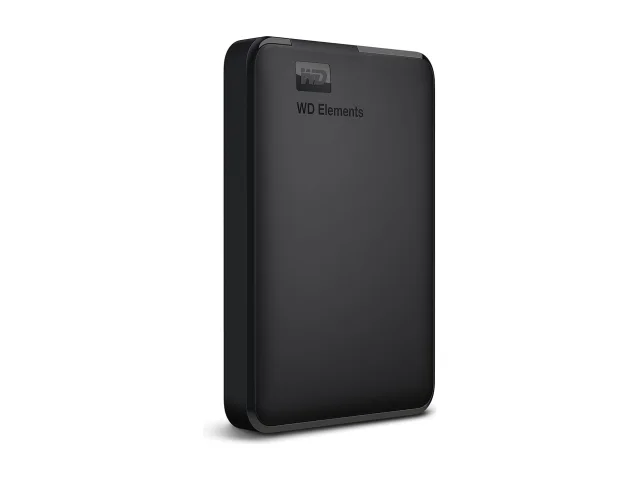
WD Elements Portable 1TB (WDBHHG0010BBK-EESN)
Best fit: A cheap 1TB backup that stays on your home or office desk.
Trade-off: WD does not publish a speed; the warranty term on the listing differs from WD's official page.
- Speed
- WD does not publish MB/s
- Interface
- USB 3.2 Gen 1 / USB 3.0 (5 Gbps)
- Warranty
- WD official page: 2-year limited, varies by country. Listings say 3 years; the India term is not verified.
- Drop
- Not published
- IP rating
- No published rating found
- NAND
- Not applicable (HDD)
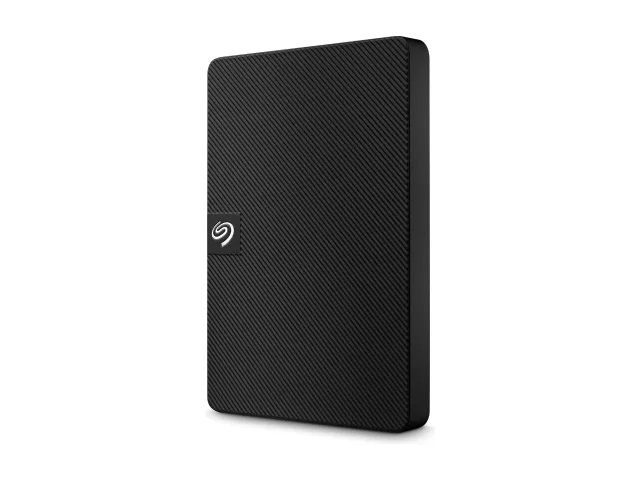
Seagate Expansion Portable 1TB (STKM1000400)
Best fit: Photos, documents and a basic laptop backup on a low budget.
Trade-off: Slow, with moving parts. Not for travel or editing.
- Speed
- Seagate does not publish MB/s
- Interface
- USB 3.0 (5 Gbps), USB-A cable
- Warranty
- 3-year limited (Seagate, APAC/India) + Rescue Data Recovery (Seagate: "not available in all countries"; the listing says 3 years)
- Drop
- Not published
- IP rating
- No published rating found
- NAND
- Not applicable (HDD)
No verified listing matches this filter right now.
₹10,000 and above
1TB+ SSDs and larger HDDs. A 10 Gbps SSD for editing and travel; a 2TB+ HDD is cheaper per TB for a large archive.
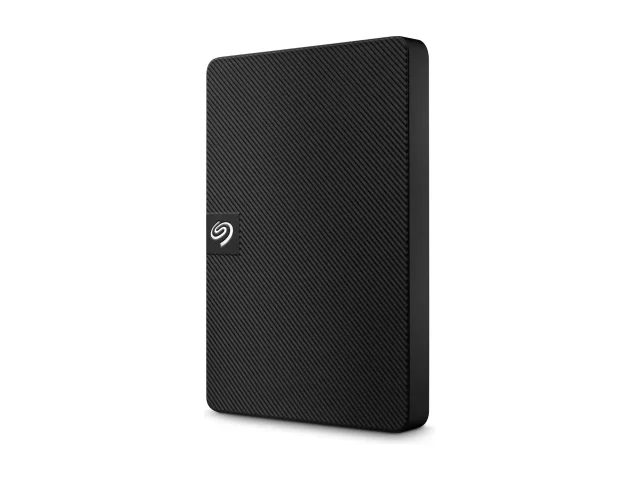
Seagate Expansion Portable 2TB (STKM2000400)
Best fit: Bulk backup of photos and completed videos.
Trade-off: HDD: slow, and a knock or fall while running is risky.
- Speed
- Seagate does not publish MB/s
- Interface
- USB 3.0 (5 Gbps), USB-A cable
- Warranty
- 3-year limited (Seagate, APAC/India) + Rescue Data Recovery (Seagate: "not available in all countries")
- Drop
- Not published
- IP rating
- No published rating found
- NAND
- Not applicable (HDD)
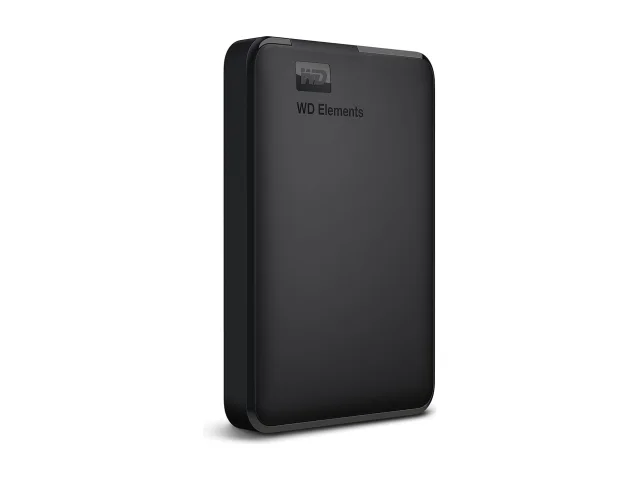
WD Elements Portable 2TB (WDBHDW0020BBK-EESN)
Best fit: A 2TB desk backup, an alternative to the Seagate 2TB.
Trade-off: No published speed; the official warranty term differs from the listing.
- Speed
- WD does not publish MB/s
- Interface
- USB 3.2 Gen 1 / USB 3.0 (5 Gbps)
- Warranty
- WD official page: 2-year limited, varies by country. Listings say 3 years; the India term is not verified.
- Drop
- Not published
- IP rating
- No published rating found
- NAND
- Not applicable (HDD)
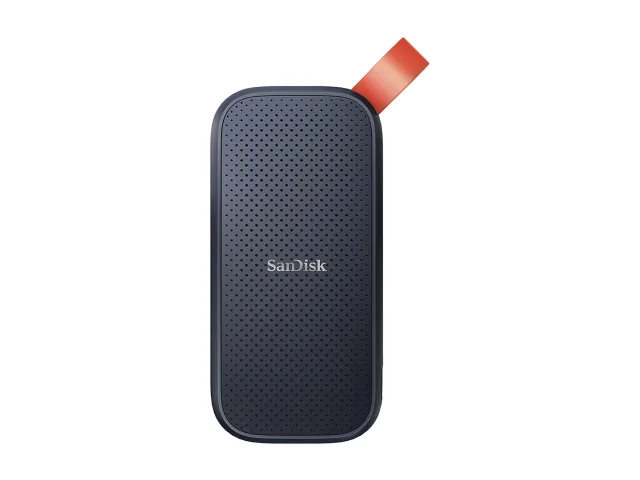
SanDisk Portable SSD (E30) 1TB (SDSSDE30-1T00-G26)
Best fit: A first portable SSD: photos, college projects, daily carry.
Trade-off: 800 MB/s read is slower than the 1,000+ MB/s SSDs; write speed not published; no IP rating.
- Speed
- Up to 800 MB/s read; write not published ("write speeds lower")
- Interface
- USB 3.2 Gen 2 (10 Gbps), USB-C; C-to-A cable
- Warranty
- 3-year limited (SanDisk India)
- Drop
- Up to 2 m (SanDisk internal testing)
- IP rating
- No published rating found
- NAND
- Not disclosed / not verified
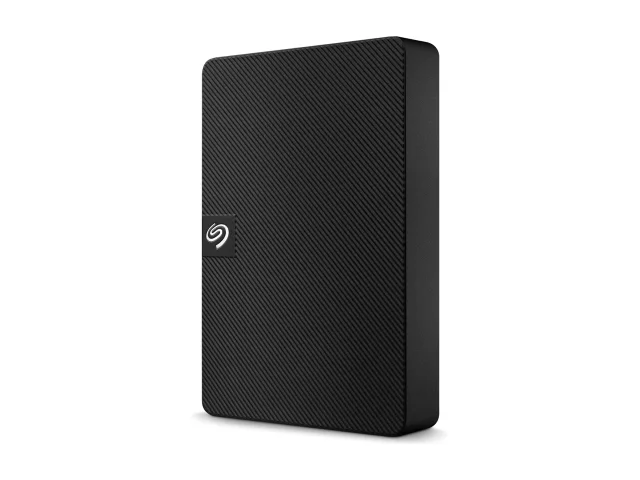
Seagate Expansion Portable 4TB (STKM4000400)
Best fit: A large video/photo archive at a low cost per TB.
Trade-off: A lot of data on one drive: keep a second copy of this too.
- Speed
- Seagate does not publish MB/s
- Interface
- USB 3.0 (5 Gbps), USB-A cable
- Warranty
- 3-year limited (Seagate, APAC/India) + Rescue Data Recovery (Seagate: "not available in all countries")
- Drop
- Not published
- IP rating
- No published rating found
- NAND
- Not applicable (HDD)
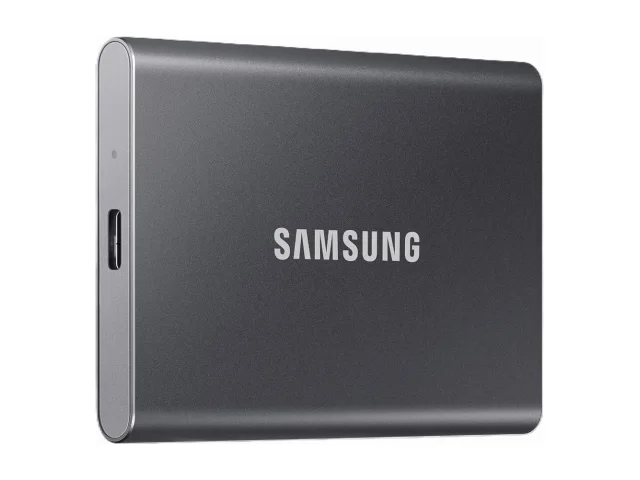
Samsung T7 1TB (MU-PC1T0T)
Best fit: Editing and active projects: fast on a 10 Gbps port, small metal body.
Trade-off: No published IP rating; not a rugged body like the T7 Shield.
- Speed
- Up to 1,050 MB/s read / 1,000 MB/s write (on USB 3.2 Gen 2 with UASP)
- Interface
- USB 3.2 Gen 2 (10 Gbps), USB-C; C-to-C and C-to-A cables
- Warranty
- 3-year limited (Samsung India)
- Drop
- Up to 2 m (Samsung; test condition not published)
- IP rating
- No published rating found
- NAND
- Not disclosed / not verified
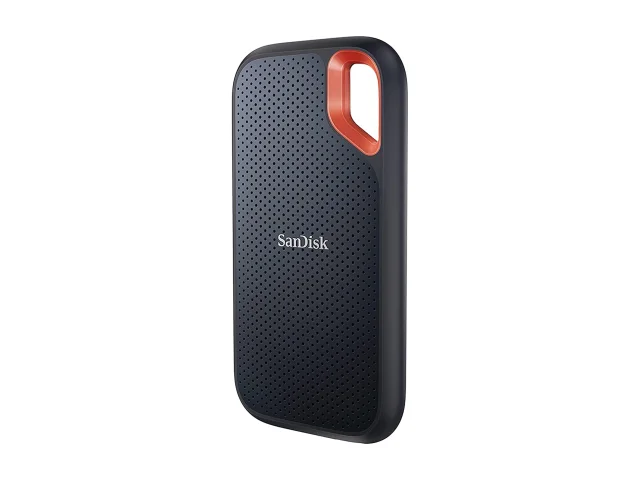
SanDisk Extreme Portable SSD (E61) 1TB
Best fit: Travel and outdoor shoots: published IP65 and 3 m drop ratings.
Trade-off: The Amazon listing's badges (3 yr, IP55) do not match SanDisk's official specs (5 yr, IP65); check the model on the invoice.
- Speed
- Up to 1,050 MB/s read / 1,000 MB/s write
- Interface
- USB 3.2 Gen 2 (10 Gbps), USB-C; C-to-C cable + C-to-A adaptor
- Warranty
- 5-year limited (SanDisk India)
- Drop
- Up to 3 m (SanDisk)
- IP rating
- IP65 (SanDisk internal testing)
- NAND
- Not disclosed / not verified
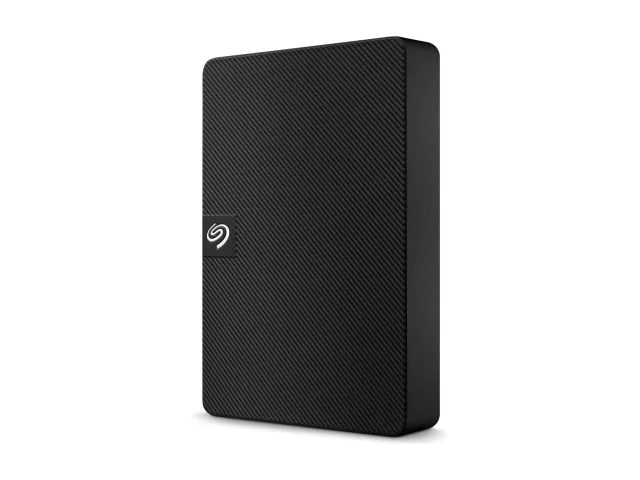
Seagate Expansion Portable 5TB (STKM5000400)
Best fit: The most TB in one portable drive: a footage archive.
Trade-off: A big price gap between the two stores; check the seller and the fees.
- Speed
- Seagate does not publish MB/s
- Interface
- USB 3.0 (5 Gbps), USB-A cable
- Warranty
- 3-year limited (Seagate, APAC/India) + Rescue Data Recovery (Seagate: "not available in all countries")
- Drop
- Not published
- IP rating
- No published rating found
- NAND
- Not applicable (HDD)
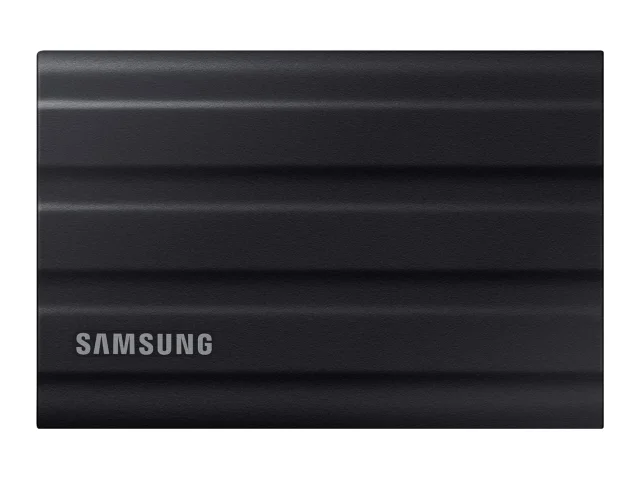
Samsung T7 Shield 1TB (MU-PE1T0S)
Best fit: Travel + editing: T7 speed with a rubber body, IP65 and a 3 m drop rating.
Trade-off: Costs more than the plain T7. Samsung says liquid, dust and drop damage are not covered by the warranty.
- Speed
- Up to 1,050 MB/s read / 1,000 MB/s write
- Interface
- USB 3.2 Gen 2 (10 Gbps)
- Warranty
- 3-year limited (Samsung India); drop and liquid damage not covered
- Drop
- 3 m (Samsung: free-fall onto a metal plate)
- IP rating
- IP65 (Samsung internal testing)
- NAND
- Not disclosed / not verified
No verified listing matches this filter right now.
Price not verified
The specs of these models are verified, but we could not find a reliable current price on a listing. So they are not in any budget section or finder result. Check the current price at the retailer.
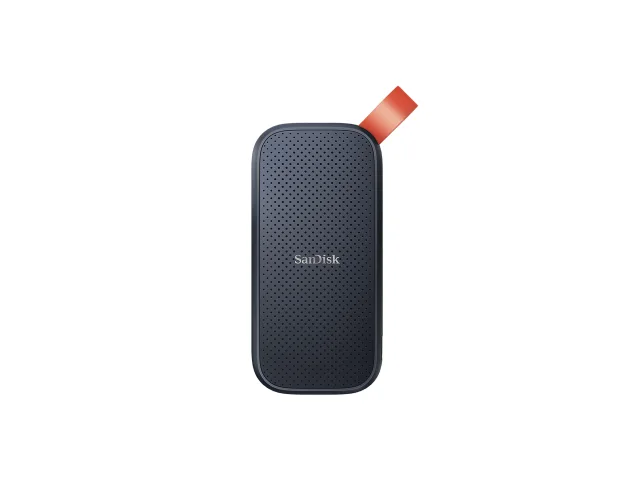
SanDisk Portable SSD (E30) 480GB
Best fit: A small, cheap SSD: documents, projects and a year or two of photos.
Trade-off: Slower than the 1TB E30 (520 vs 800 MB/s read); the capacity can fill up quickly.
- Speed
- Up to 520 MB/s read; write not published
- Interface
- USB 3.2 Gen 2 (10 Gbps), USB-C; C-to-A cable
- Warranty
- 3-year limited (SanDisk India)
- Drop
- Up to 2 m (SanDisk internal testing)
- IP rating
- No published rating found
- NAND
- Not disclosed / not verified
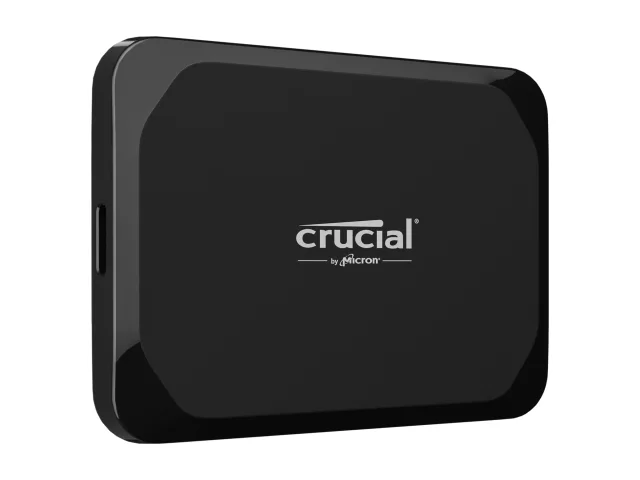
Crucial X9 Portable SSD 1TB (CT1000X9SSD9)
Best fit: A compact 10 Gbps SSD, if old stock is available from a genuine seller.
Trade-off: Micron has exited the Crucial consumer business; new stock is hard to find.
- Speed
- Up to 1,050 MB/s read; write not published
- Interface
- USB 3.2 Gen 2 (10 Gbps), USB-C
- Warranty
- 3-year limited or TBW, whichever comes first (Crucial India). The Amazon badge says 5 years, which does not match Crucial.
- Drop
- Up to 2 m on a carpeted floor (Crucial)
- IP rating
- No published rating found
- NAND
- Not disclosed / not verified
Crucial X9: Micron announced on 3 Dec 2025 that it is exiting the Crucial consumer business; consumer shipments continued until February 2026. According to Micron, warranty service and support for Crucial products will continue (Micron release). The release does not say for how long.
Listing vs manufacturer: some listings' warranty badges or spec tables do not match the manufacturer's page (WD Elements, SanDisk Extreme, Crucial X9). We show the manufacturer's official text. Before buying, confirm the exact model number with the seller and the warranty on the invoice.
MRP: on many listings the MRP was 2–4 times the selling price. That is why this page shows no discount percentages.
Compare (up to 3)
"Not published" means we found no official information. "No" is used only when the manufacturer says so itself. Cost per TB uses only the verified base price, without bank offers, so everything is compared on the same basis.
Tick "Compare" on any product card above (up to 3). The table appears here. If JavaScript is off, every card already lists its full specs.
FAQs
SSD or HDD: which is right for backup?
For large backups that you rarely open, a portable HDD is generally cheaper per TB. For a backup that travels with you or needs to be restored quickly, a portable SSD is better. The most important thing: a backup must be a separate copy, in addition to the original.
Does Type-C mean fast speed?
No. Type-C is only the shape of the connector. Behind it there can be USB 2.0 (480 Mbps) or USB4 (40 Gbps). The real speed depends on the USB standard supported by all three: the drive, the computer port and the cable.
Can an SSD break if it falls?
Yes, it can. An SSD has no moving parts, so it generally handles shock better than an HDD, but the connector, circuit board or casing can still break. A manufacturer's drop rating applies only to its specific test conditions; it is not a guarantee for every fall.
Is a water-resistant drive waterproof?
No. A rating like IP65 means protection against dust and water jets under test conditions, not immersion in water. And not every drive has an IP rating at all. Dry a wet drive before connecting it.
Does the warranty cover data recovery?
Usually not. A warranty repairs or replaces the drive; there is no guarantee that your data comes back. Some models bundle a separate data recovery service. Read its terms, time limit and claim process on the product page.
Is every 1TB SSD the same?
No. Even at the same 1TB, the interface (5, 10 or 20 Gbps), controller, NAND type, speed during a long copy, cooling, protection rating and warranty all differ. That is why the price differs too.
Can I edit videos from a portable SSD?
Yes, many people do, as long as the SSD is fast and the laptop port (10 Gbps or higher) matches it. For heavy footage and long timelines, check the drive's sustained speed and heating behaviour in reviews, and keep a separate backup of the project.
Is moving a file to the drive a backup?
No. Moving a file takes it from one place to another; there is still only one copy. It is a backup only when at least one more separate copy exists besides the original, preferably in a different place.
What do I compromise on with a ₹10,000 budget?
In the listings verified on 17 Oct 2026, the only drives under ₹10,000 were 1TB portable HDDs (Seagate Expansion 1TB, WD Elements 1TB). Stock of the small 480GB SSD could not be verified. So the compromise is speed and travel-friendliness: in this budget, choose an HDD for capacity, or raise the budget to about ₹15,800 for a 1TB SSD. Prices keep changing, so check the current price at the retailer.
Buying a laptop too? How big and how fast the SSD inside should be is explained in the laptop for programming guide.
Vinod Bahadur Thapa
Founder of Kodyfier and the creator of Thapa Technical on YouTube. This guide was written from manufacturer specifications and public listings; the drives were not lab-tested.
Thapa TechnicalSources
Specs are from the manufacturers' official pages; prices are from Amazon.in and Flipkart listings, observed on 17 Oct 2026.
- USB-IF: USB 3.2 language and packaging guidelines
- USB-IF: USB data performance language guidelines (Jan 2024)
- Seagate Expansion portable drives (India)
- WD Elements Portable
- SanDisk Portable SSD (E30), India
- SanDisk Extreme Portable SSD, India (IP65 test note)
- Samsung T7, India
- Samsung T7 Shield, India (IP65 and drop test conditions)
- Crucial X9, India
- Micron: exit from the Crucial consumer business
Affiliate disclosure: As an Amazon Associate, we earn from qualifying purchases. You pay the listed price, nothing more. Flipkart links are plain links. No brand paid for a mention on this page.